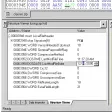
Professional hex and sector editor
Hex Workshop is a trial version Windows program, that belongs to the category Development software with subcategory Assemblers & Hex Editors.
More about Hex Workshop
Since the program joined our selection of software and apps in 2007, it has obtained 92,439 downloads, and last week it gained 14 installations.
The current version of the software is 5.02 and was updated on 3/4/2008. It's available for users with the operating system Windows 95 and previous versions, and you can download it in English.
About the download, Hex Workshop is a software that requires less storage space than the average program in the section Development software. It's a very popular program in Egypt, Turkey, and South Africa.
The Structure Viewer now supports opening and applying structures from multiple structure librariesThe Structure Viewer now supports setting document file extensions, display names, and verify statements (used for sanitiy checking)A new "/FILELIST" command line argument allows users to load a list of files from a text fileButtons were added to the Checksum results tab, bookmarks results tab, and structure viewer to increase usabilityBookmarks can now be auto-loaded when open documentsUsers can now select odd and even column background colorsMany bug fixes and minor enhancements
Changes
The Structure Viewer now supports opening and applying structures from multiple structure librariesThe Structure Viewer now supports setting document file extensions, display names, and verify statements (used for sanitiy checking)A new "/FILELIST" command line argument allows users to load a list of files from a text fileButtons were added to the Checksum results tab, bookmarks results tab, and structure viewer to increase usabilityBookmarks can now be auto-loaded when open documentsUsers can now select odd and even column background colorsMany bug fixes and minor enhancements















.png)












User reviews about Hex Workshop
Have you tried Hex Workshop? Be the first to leave your opinion!